
Why SVG Conversion is Important for Web Design
Let's dive into the world of SVG files and understand why SVG conversion holds a pivotal role in web design. SVG, or Scalable Vector Graphics, are a type of image file that's incredibly versatile, especially when it comes to the digital landscape.
When you're working with traditional image files, like JPEGs or PNGs, you often encounter issues with pixelation when resizing. This is where SVG files shine. They are resolution-independent and scalable, meaning they maintain their quality regardless of the size. This is a crucial factor in web design, where images need to look crisp and clear on a variety of screen sizes, from the smallest mobile device to the largest desktop monitor.

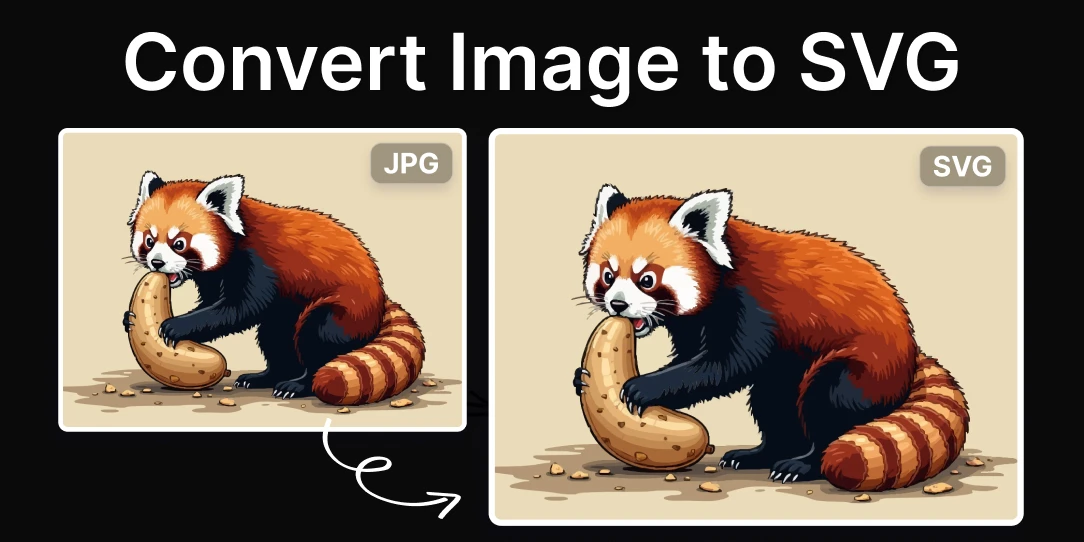
But how do you get these SVG files? That's where SVG conversion comes into play. Conversion allows you to transform other image file types into SVGs. This process is essential for designers who want to take advantage of the benefits SVG files offer.
There's another reason why SVG conversion is vital. SVG files are written in XML, which means they can be edited with any text editor and manipulated with CSS and JavaScript. This opens up a world of possibilities for interactivity and animation on your website.

So, whether you're looking to create responsive graphics, interactive web elements, or just want to improve the visual quality of your site, understanding how to convert SVG files is a skill worth mastering. And with the best free SVG converters at your disposal, this process becomes even more efficient and accessible.
Stay tuned as we delve into the top SVG converters and guide you through the world of SVG conversion.
Understanding the Different Types of SVG Converters
Now that we've established the importance of SVG conversion in web design, let's delve into the different types of SVG converters available. Understanding these types will help you choose the most suitable tool for your SVG file conversion needs.
Online SVG Converters: These are web-based tools that allow you to convert your files to SVG format without needing to download or install any software. They are user-friendly and often support a wide range of file formats. However, they may have limitations on file size and number of conversions. An example of an online SVG converter is Convertio.

Desktop SVG Converters: These are software applications that you install on your computer. They typically offer more advanced features and do not have limitations on file size or number of conversions. However, they may require more technical knowledge to use effectively. Inkscape is a popular desktop SVG converter.

Command-line SVG Converters: These are tools designed for developers and advanced users. They allow for batch processing and automation of SVG file conversion, but they require a good understanding of command-line interfaces. An example of a command-line SVG converter is ImageMagick.

Choosing the right SVG converter depends on your specific needs and level of technical expertise. For beginners and those looking for simplicity, online SVG converters are a great option. For more advanced users, desktop or command-line converters offer additional features and flexibility.
Now that you have a better understanding of the different types of SVG converters, let's explore the top 10 free SVG converters for efficient file conversion in the next section.
Converter Name - Description
Converter Name: Online-Convert
When it comes to SVG file conversion, Online-Convert is a top-tier choice. This free SVG converter is renowned for its efficiency and ease of use, making it a favorite among both beginners and seasoned graphic designers.
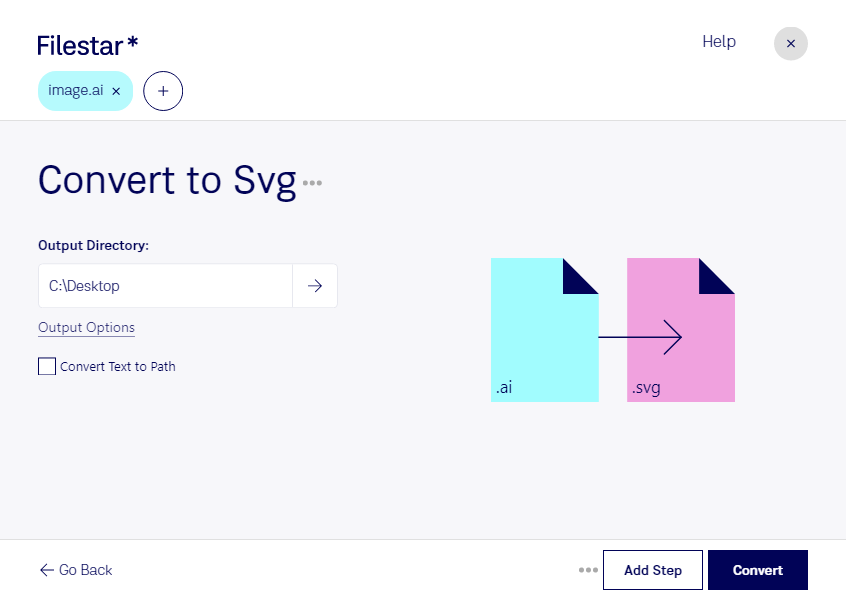
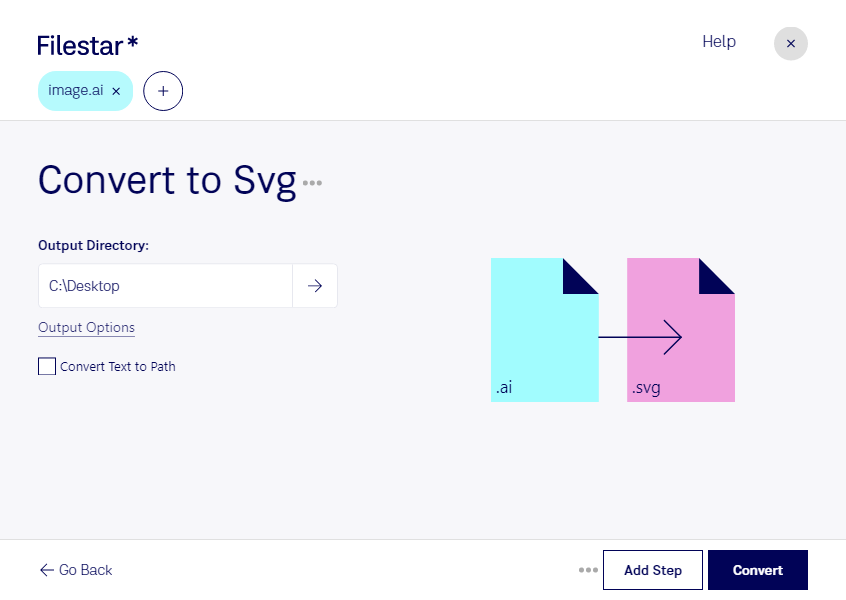
One of the standout features of Online-Convert is its ability to convert a wide range of file formats into SVG. Whether you're working with PDFs, PNGs, or even PSD files, this tool has got you covered. The process is as simple as selecting your input file, choosing SVG as your output, and clicking 'Convert'.
But that's not all. Online-Convert also offers a host of additional settings to customize your conversion. You can adjust the color, optimize the file for the web, and even resize the image, all within the same tool. This level of control is what sets Online-Convert apart from other SVG converters.
Another major advantage of Online-Convert is its cloud-based nature. This means you can access it from any device, at any time, without having to download any software. It's a truly versatile tool that adapts to your needs.

In summary, if you're looking for a free, efficient, and user-friendly SVG converter, Online-Convert is a fantastic option. It's a tool that truly understands how to convert SVG files, making your web design tasks a breeze.
Understanding the Basics of SVG File Conversion
Delving into the world of SVG files can be a thrilling journey, especially when you have the right tools at your disposal. SVG file conversion, a process that may seem complex at first glance, is actually quite straightforward when you understand the basics. So, what exactly does it entail?
SVG, or Scalable Vector Graphics, is a file format that allows for two-dimensional graphics to be displayed on the web. These files are unique in that they can be scaled up or down without losing any quality - a feature that sets them apart from other image formats. But to truly harness the power of SVG files, you need to be able to convert them into other formats. This is where SVG converters come into play.
Imagine you've just downloaded a beautiful SVG image from our vast library here at NiceSVG. You're eager to use it in your latest project, but there's a hitch - your preferred application doesn't support SVG files. This is a common scenario that many designers and digital artists face. But fear not, the solution is simple: use an SVG converter to transform your file into a compatible format.
With the best free SVG converters, you can easily convert your SVG files into a variety of formats, including PNG, JPEG, and PDF. These efficient SVG converters are designed to make the conversion process smooth and hassle-free. But how do you choose the right one? And what makes a converter efficient? As we journey further into this guide, we'll explore these questions and more, equipping you with the knowledge you need to make the most of your SVG files.
So, are you ready to dive deeper into the fascinating world of SVG file conversion? Let's get started!
Exploring the Benefits of Using SVG Files
Stepping into the realm of SVG files opens up a world of possibilities. But why should you consider using SVG files and how do they benefit you? Let's delve into the advantages of using SVG files and how they can revolutionize your digital projects.
Firstly, SVG files are resolution-independent, meaning they maintain their quality regardless of the size. Whether you're scaling up for a billboard or down for a mobile screen, your image remains crisp and clear. This is a game-changer in the digital world where different devices and screen sizes are the norm. With SVG files, you're always assured of high-quality graphics.
Secondly, SVG files are remarkably compact. They use less bandwidth and load faster than their bitmap counterparts, making them ideal for web use. In an era where speed is paramount, using SVG files can give your website or application a competitive edge.
Lastly, SVG files are editable. You can easily modify colors, shapes, and text without the need for specialized software. This flexibility allows for endless creativity and customization, making SVG files a favorite among designers and artists.
But what happens when your preferred application doesn't support SVG files? This is where SVG file conversion comes into play. With the best free SVG converters, you can transform your SVG files into a variety of formats, ensuring compatibility with any application. These free SVG conversion tools are designed to make the process smooth and hassle-free, allowing you to focus on your creative work.
So, are you ready to harness the power of SVG files? With the right knowledge and tools, you can unlock the full potential of SVG files, enhancing your digital projects and streamlining your workflow. Stay tuned as we explore the top SVG converters and guide you through the process of SVG file conversion.
Guide to Efficient SVG Converters: What Makes a Good Converter?
As we delve deeper into the world of SVG files, we come across a crucial aspect - SVG file conversion. But what makes a good converter? What should you look for in the best free SVG converters? Let's unravel these questions together.
First and foremost, an efficient SVG converter should offer a seamless user experience. The process of converting files should be straightforward and intuitive, even for beginners. After all, you don't want to spend hours figuring out how to convert SVG files, do you?
Next, versatility is key. The top SVG converters are those that support a wide range of output formats. This ensures that your SVG files can be made compatible with any application, broadening your creative horizons.
Another critical factor is the quality of conversion. A good converter should maintain the integrity of your SVG files during the conversion process. This means preserving the resolution-independence, compactness, and editability that make SVG files so advantageous. Remember, conversion should never compromise quality.
Lastly, let's not forget about speed. In a fast-paced digital world, efficient SVG converters are those that perform swift conversions without sacrificing accuracy. Time is of the essence, and the best converters understand this.
So, as you embark on your journey to mastering SVG file conversion, keep these factors in mind. The right converter can make all the difference, transforming your SVG files into versatile assets that can be used across a multitude of platforms. Are you ready to discover the free SVG conversion tools that meet these criteria? Let's move on to our list of the top 10 SVG converters, handpicked for their efficiency and quality.

Top SVG Converters: Free Tools for Quality Conversion
Embarking on the journey of SVG file conversion can seem daunting, but armed with the right tools, it becomes a breeze. So, what are these tools? Let's dive into the realm of the top SVG converters that offer free, quality conversion.
Imagine having a tool that not only simplifies the process of SVG file conversion but also ensures the output is of the highest quality. That's exactly what the best free SVG converters offer. They are designed to maintain the integrity of your SVG files, preserving their resolution-independence, compactness, and editability. These converters understand that conversion should never compromise quality.
But how do you identify these efficient SVG converters? Look for ones that support a wide range of output formats. This versatility ensures your SVG files can be used across various applications, broadening your creative scope. A converter that supports multiple formats is like a master key, unlocking the potential of your SVG files in a myriad of ways.
And let's not forget about speed. In our fast-paced digital world, time is a precious commodity. The top SVG converters are those that perform swift conversions without sacrificing accuracy. They embody the perfect blend of speed and precision, making SVG file conversion a swift and seamless process.
So, are you ready to explore the world of SVG file conversion with these free tools? Let's dive into our list of the top 10 SVG converters, handpicked for their efficiency and quality. Remember, the right converter can transform your SVG files into versatile assets, ready to be used across a multitude of platforms.
Whether you're a seasoned designer or a beginner exploring the world of SVG files, these converters are your allies, making the process of SVG file conversion as smooth as possible. So, why wait? Dive into the world of SVG file conversion with the best free SVG converters and watch your creative horizons expand.

Getting Hands-On: How to Convert SVG Files Using Free Tools
Now that we've explored the realm of the best free SVG converters, it's time to roll up your sleeves and get hands-on with SVG file conversion. But how do you convert SVG files using these free tools? Let's demystify the process together.
First, you'll need to choose a converter from our list of top SVG converters. This choice should align with your specific needs. Are you seeking a converter that supports a wide range of output formats? Or perhaps speed is your top priority? Remember, the best converter for you is the one that meets your unique requirements.
Once you've chosen your tool, the next step is to upload your SVG file. Most converters feature a straightforward interface, making this process as simple as clicking a button. After uploading, you'll select your desired output format. This is where the versatility of the top SVG converters shines, allowing you to choose from a multitude of formats.
Next, hit the 'convert' button and watch as the magic happens. Within seconds, your SVG file is transformed, ready to be used in your chosen application. The best free SVG converters ensure this process is swift, maintaining the integrity of your file while delivering high-quality output.
And there you have it! You've just converted an SVG file using a free tool. This process, once daunting, is now a breeze, thanks to the efficiency of the top SVG converters. So, why not give it a try? Experience the ease and quality of SVG file conversion firsthand. After all, there's nothing quite like the satisfaction of seeing your SVG files come to life in new and exciting ways.
Remember, the journey of SVG file conversion doesn't end here. With the right converter in your toolkit, you're equipped to explore the limitless potential of SVG files. So, go ahead, dive in, and watch as your creative horizons expand with each SVG file conversion.
Boosting Efficiency with the Best Free SVG Converters
Boosting your efficiency in SVG file conversion is no longer a dream, thanks to the best free SVG converters. These tools are designed to make your SVG conversion journey not only possible but also enjoyable. Have you ever wondered how much time you could save with an efficient SVG converter? Or how much more you could achieve with the right tool in your arsenal? Let's delve into the world of top SVG converters and find out.
Imagine having a tool that not only converts your SVG files swiftly but also maintains the quality of your work. This is exactly what the best free SVG converters offer. They are equipped with advanced algorithms that ensure your SVG files are converted without compromising on quality. This means you can trust these tools to handle your most intricate designs, knowing they will deliver the best results.
But that's not all. The top SVG converters also offer a user-friendly interface, making the process of converting SVG files as simple as a few clicks. No more grappling with complex settings or confusing options. With these tools, you can convert your SVG files with ease, regardless of your technical expertise. Isn't it amazing how these converters have simplified the process of SVG file conversion?
Moreover, the best free SVG converters support a wide range of output formats. This means you can convert your SVG files into any format you desire, expanding the possibilities of how you can use your SVG files. Whether you need a PNG for a website, a PDF for a report, or a JPEG for a presentation, these converters have got you covered.
So, what are you waiting for? Boost your efficiency with the best free SVG converters today. Experience the thrill of converting your SVG files swiftly, maintaining their quality, and using them in ways you never imagined. After all, isn't that what SVG file conversion is all about?
Remember, the journey of SVG file conversion is a continuous one. With each conversion, you're not just transforming a file, you're also expanding your creative horizons. So, go ahead, choose your converter, and embark on this exciting journey of SVG file conversion.
Final Thoughts: Choosing the Right SVG Conversion Tool for Your Needs
As we've journeyed through the world of SVG file conversion, we've seen the power of the best free SVG converters. These tools are not just about converting files; they're about unlocking your creative potential, expanding your horizons, and making your work more efficient. But how do you choose the right SVG conversion tool for your needs?
Firstly, consider your specific needs. Are you looking for a tool that supports a wide range of output formats? Or perhaps you need a converter that maintains the quality of your intricate designs? Maybe you're a beginner in need of a user-friendly interface? The best SVG converter for you is one that meets your unique needs and preferences.
Secondly, don't forget to consider the efficiency of the converter. The top SVG converters not only convert your files swiftly but also ensure the quality of your work is maintained. This is crucial, especially if you're dealing with complex designs or working on a tight deadline.
Lastly, remember that the best SVG converters are those that make the process of SVG file conversion enjoyable. They transform what could be a daunting task into an exciting journey of discovery. So, why not take the plunge and explore the vast world of SVG file conversion?
With the right SVG conversion tool in your arsenal, you can open, edit, save, and use SVG files like never before. You can convert your SVG files into any format you desire, and use them in ways you never imagined. So, go ahead, choose your converter, and start your SVG file conversion journey today. After all, isn't that the thrill of using SVG files?
Remember, the journey of SVG file conversion is not a destination but a continuous process of learning and growth. So, don't be afraid to experiment, explore, and push your creative boundaries. Who knows, you might just discover a whole new world of possibilities with SVG file conversion.
So, are you ready to embark on this exciting journey? Are you ready to discover the power of efficient SVG converters? The world of SVG file conversion awaits you. Dive in and experience the thrill of using SVG files today.
No comments yet. Be the first to share your thoughts!