

Why use SVG with React and Next.js?
Developers are increasingly turning to SVG animations to enhance user experiences. Unlike video or animated GIFs, SVGs are vector-based, meaning they scale without losing quality and generally have smaller file sizes. This makes them ideal for responsive designs and maintaining performance, particularly on mobile devices. They are also accessible to screen readers and can be manipulated with CSS and JavaScript.
React and Next.js have become dominant forces in web development, and for good reason. React’s component-based architecture fosters reusability and maintainability, while Next.js adds server-side rendering, static site generation, and optimized performance. Combining these frameworks with SVG animations allows for dynamic and engaging interfaces that feel snappy and modern.
React 19 improves the core rendering engine, which makes complex SVG scenes feel smoother. Next.js 15 focuses on faster page loads through better image optimization. These updates make it easier to run heavy animations without dropping frames.
The move toward component-driven development means we need ways to easily integrate animations into reusable components. SVG animation libraries give us the tools to do this, abstracting away the complexities of directly manipulating the DOM and providing a more declarative approach to animation logic. This is especially valuable when building large-scale applications.
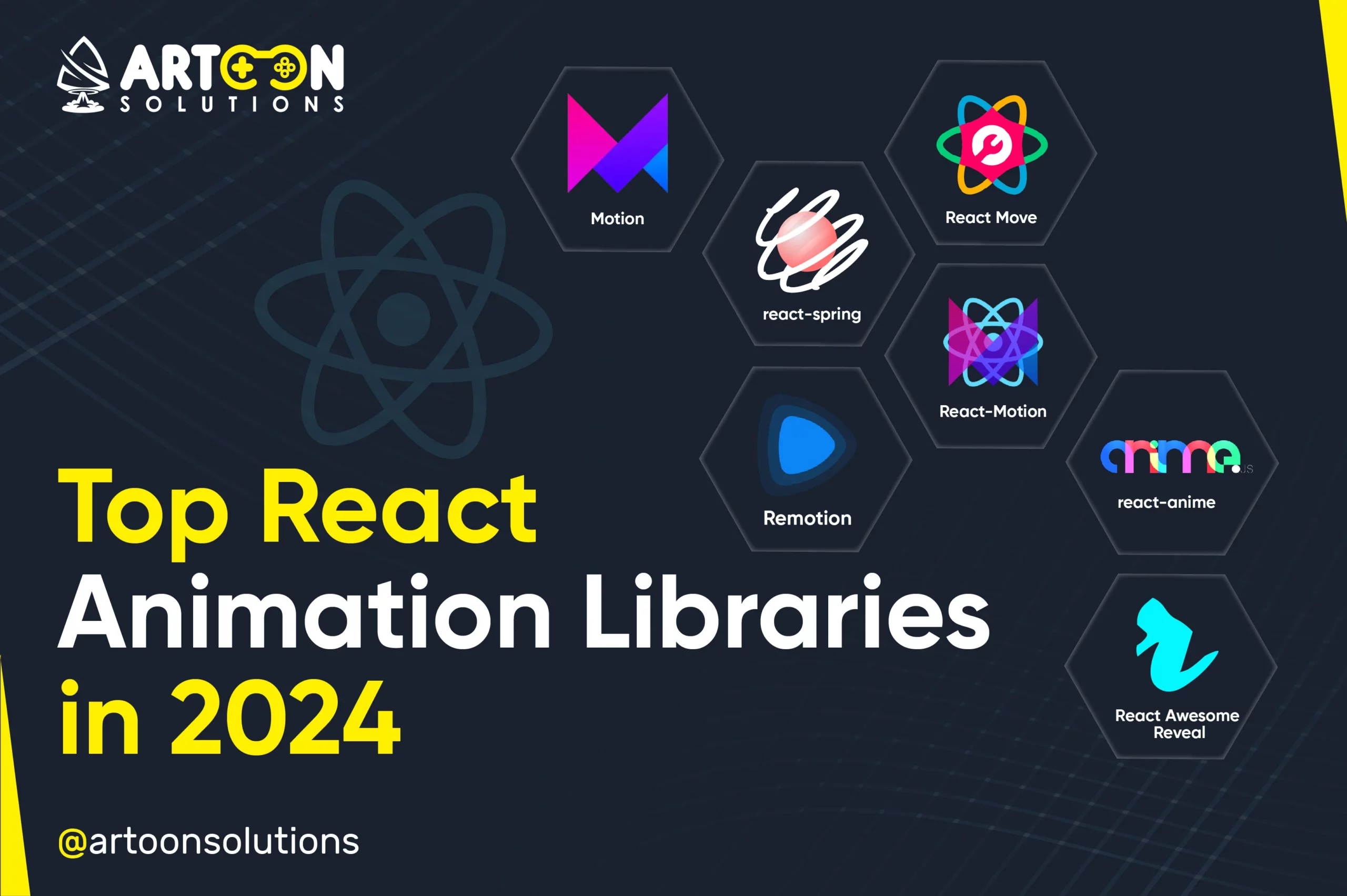
Top 10 libraries for 2026
Choosing the right SVG animation library can significantly impact your project’s development time and performance. Here's a look at ten of the best options available for React and Next.js in 2026, each with its strengths and weaknesses.
- Framer Motion. It is the easiest to set up. You get gesture support and layout animations out of the box, though it struggles with thousands of simultaneous SVG nodes.
- React Spring: Built on the principles of physics, React Spring offers a natural and fluid animation experience. It's particularly well-suited for animations that need to feel responsive and realistic. The learning curve can be a bit steeper due to its physics-based approach.
- Lottie React: This library allows you to import animations created in Adobe After Effects using the Lottie format. It’s excellent for adding pre-designed animations to your projects quickly. Be mindful of file sizes, as complex Lottie animations can be quite large.
- React Transition Group: A lower-level library, React Transition Group provides a flexible way to manage component transitions. It requires more manual setup but offers greater control over the animation process. It's a good choice for situations where you need highly customized transitions.
- Anime.js (React integration): Anime.js is a lightweight yet powerful JavaScript animation library. While not specifically designed for React, it can be easily integrated to create complex SVG animations. It offers a wide range of animation options and is relatively easy to learn.
- GSAP. This is the industry standard for complex sequences. It is faster than React-based engines for heavy math, but you have to manage the DOM refs manually.
- React Move: React Move simplifies the creation of animated values. It’s particularly useful for animating numerical properties of SVG elements. It’s a good option for simple, data-driven animations.
- Remotion: Designed for creating video-like animations using React, Remotion can also be used to generate complex SVG animations for web applications. It’s well-suited for projects that require programmatic animation generation.
- React Animated: Facebook’s React Animated library provides a framework for creating declarative animations. It’s a solid option for simple animations but may lack the advanced features of other libraries.
- Popmotion: A pure functional animation library, Popmotion focuses on creating reusable animation primitives. It’s well-suited for building custom animation components and offers a high degree of flexibility.
SVG Animation Libraries for React & Next.js: A Comparative Overview (2026)
| Library | Ease of Use | Performance | React/Next.js Integration | Animation Capabilities |
|---|---|---|---|---|
| Framer Motion | High | Good | Excellent | Versatile, path motion & gestures |
| React Spring | Medium | Very High | Good | Physics-based, complex animations |
| Lottie React | Medium | Good | Good | Best for After Effects exports |
| React Transition Group | Medium | Moderate | Excellent | Simple state transitions |
| Anime.js | Medium | Good | Requires setup | Flexible, timeline-based control |
| GSAP (GreenSock) | Medium | Excellent | Requires setup | Powerful, professional-grade |
| React Move | Low | Good | Good | Declarative, but less active development |
| Remotion | Low | High | Good | Video-first, complex compositions |
| React Animated | Low | Moderate | Good | Facebook's library, limited updates |
| Popmotion | Medium | High | Good | Functional, physics-based |
Qualitative comparison based on the article research brief. Confirm current product details in the official docs before making implementation choices.
Framer Motion for quick results
I use Framer Motion for most projects because the API is readable. You wrap an SVG element in a motion component and define the animate prop. It handles the CSS transitions for you, which keeps the component code clean.
The advantages of using Framer Motion for SVG animation include its ease of use, excellent documentation, and tight integration with React’s component model. It also provides features like gesture support and layout animations, which can further enhance the user experience. The library’s `motion` component can wrap any SVG element, instantly enabling animation capabilities.
However, Framer Motion might not be the best choice for animations that require extremely precise control or complex timing. For these scenarios, a more powerful library like GSAP might be a better fit. Additionally, complex animations can sometimes lead to performance issues if not optimized correctly. It’s important to profile your animations and identify any bottlenecks.
GSAP for complex timelines
GSAP (GreenSock Animation Platform) is a highly versatile and performant animation library that’s been a staple in the web development community for years. While not specifically designed for React, it can be effectively integrated using libraries like `react-gsap`. This integration allows you to leverage GSAP’s powerful features within your React components.
The benefits of using GSAP for complex, timeline-based SVG animations are significant. GSAP provides precise control over animation timing, sequencing, and easing. It also offers features like morphing, scrolling triggers, and advanced physics simulations. It’s designed to handle complex animations without sacrificing performance.
Integrating a non-React library like GSAP into a React component can present some challenges. You need to be careful about managing the animation lifecycle and ensuring that GSAP animations are properly cleaned up when components unmount. However, libraries like `react-gsap` simplify this process by providing a React-friendly API for GSAP.
Lottie for designer handoffs
Lottie, developed by Airbnb, allows designers to create animations in Adobe After Effects and export them as lightweight JSON files. These JSON files can then be seamlessly integrated into React applications using libraries like `react-lottie`. This workflow streamlines the animation process, allowing designers to focus on the creative aspects while developers handle the integration.
The advantages of using Lottie for SVG-based animations are its ease of use and the ability to leverage existing After Effects animations. It’s a great option for adding pre-designed animations to your projects quickly and efficiently. Lottie animations are also vector-based, ensuring they scale well on different devices.
However, Lottie animations can sometimes be quite large, especially if they contain complex scenes or a lot of detail. This can impact page load times and performance. It's important to optimize Lottie animations by reducing the number of layers and simplifying the animation paths. Careful consideration of file size is essential.
Essential Tools for Mastering SVG Animations in React 19 & Next.js 15

Industry-standard visual effects and motion graphics software · Create complex animations and dynamic visual content · 1-month subscription with auto-renewal for flexibility
While not a direct code library, After Effects is the industry benchmark for motion graphics, allowing designers to prototype and export assets that can be implemented with SVG animation libraries in React and Next.js.

Professional-grade graphic drawing tablet · Precise pen input with Pro Pen 3 · Bluetooth connectivity for wireless use
Essential for designers creating custom SVG assets, this tablet offers unparalleled precision and control for drawing and refining graphics that will be animated in React and Next.js projects.

Comprehensive guide to animation principles · Covers classical, computer, and modern animation techniques · Applicable to various animation mediums
This foundational text provides animators and developers with the core principles of motion and timing, crucial for creating believable and engaging SVG animations within React and Next.js applications.
High-performance JavaScript animation library · Robust tools for complex sequencing and timelines · Widely used for web animation
The GreenSock Animation Platform (GSAP) is a powerful and efficient JavaScript library that excels at creating complex, high-performance animations, making it an excellent choice for advanced SVG animations in React and Next.js.
As an Amazon Associate I earn from qualifying purchases. Prices may vary.
Beyond the Basics: Emerging Libraries
While the libraries mentioned above are well-established, there are several emerging options worth exploring. react-use-measure is a fantastic hook for measuring the size and position of SVG elements, which is crucial for creating responsive animations. It provides a simple and efficient way to obtain the dimensions of SVG elements without relying on JavaScript refs.
Another interesting library is wagmata which focuses on animating SVG paths. It provides a declarative API for defining path animations and offers features like path morphing and easing functions. It’s a good option for projects that require complex path-based animations.
Finally, keep an eye on libraries that integrate with WebAssembly. These libraries promise to deliver significantly improved performance for complex SVG animations by leveraging the speed of WebAssembly. The SVG animation landscape is constantly evolving, and these emerging libraries represent the future of SVG animation in React and Next.js.
Keeping animations fast
SVG animations, while powerful, can negatively impact performance if not implemented carefully. Minimizing DOM manipulations is crucial. Each time you modify the SVG DOM, the browser needs to re-render the element, which can be computationally expensive. Libraries like Framer Motion and GSAP often optimize these manipulations under the hood, but it’s still important to be mindful of the complexity of your animations.
Utilizing `requestAnimationFrame` is essential for smooth animations. This function tells the browser that you want to perform an animation and requests that the browser call a specified function to update an animation before the next repaint. This ensures that animations are synchronized with the browser’s refresh rate, resulting in smoother and more consistent animations.
Optimizing SVG file size is another important consideration. Large SVG files can take longer to download and parse, which can impact page load times. Use tools like SVGO to remove unnecessary data from your SVG files without affecting their visual appearance. Avoid embedding large raster images within your SVGs.
Finally, avoid unnecessary complexity in your animations. The more complex your animations, the more resources they will consume. Simplify your animations as much as possible and only animate the properties that need to be animated. Profiling your animations using browser developer tools can help identify performance bottlenecks.
- Minimize DOM manipulations
- Use requestAnimationFrame
- Optimize SVG file size
- Avoid unnecessary complexity


No comments yet. Be the first to share your thoughts!