

Why SVGs win for web3
SVGs are the standard for web3 projects because they don't break when you scale them. Unlike JPEGs or PNGs, which are made of fixed pixels, SVGs use math to define shapes. This is vital for on-chain assets where your art needs to look sharp on everything from a mobile wallet to a 4K monitor.
This resolution independence is a major advantage, but SVG’s potential extends beyond just clarity. The format supports animation, interactivity, and even procedural generation – opening up exciting possibilities for dynamic NFTs and immersive Web3 experiences. Think NFTs that change based on market conditions, or generative art that evolves over time. Raster images struggle to offer this level of flexibility.
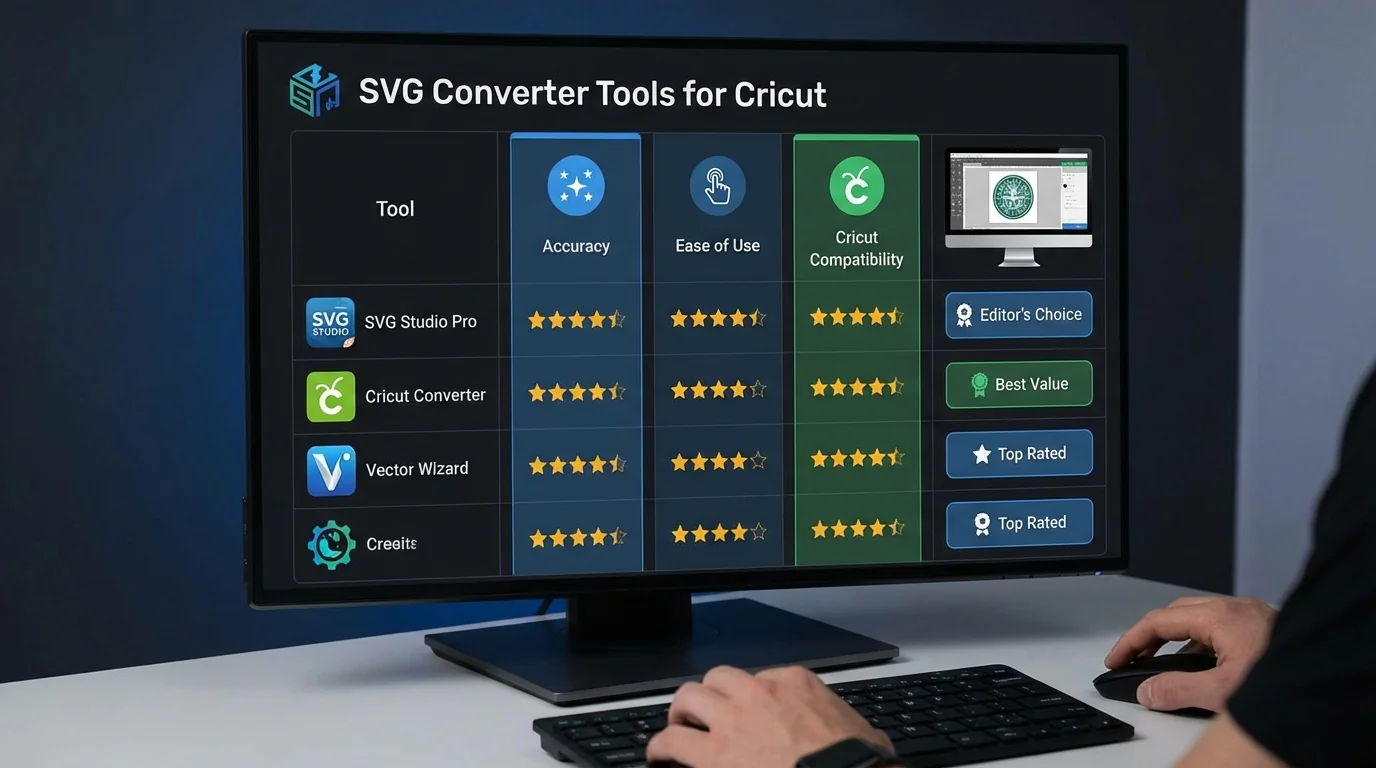
However, creating and working with SVGs can be challenging, and often requires converting existing image formats. This is where SVG converters come in. The sheer number of options available can be overwhelming, and choosing the right converter is crucial. A poor conversion can lead to bloated file sizes, loss of detail, or inaccurate color representation – all of which can negatively impact your Web3 project. We'll explore the landscape of SVG converters, looking at both free and premium options, and what to consider for your specific needs.
The reality of free converters
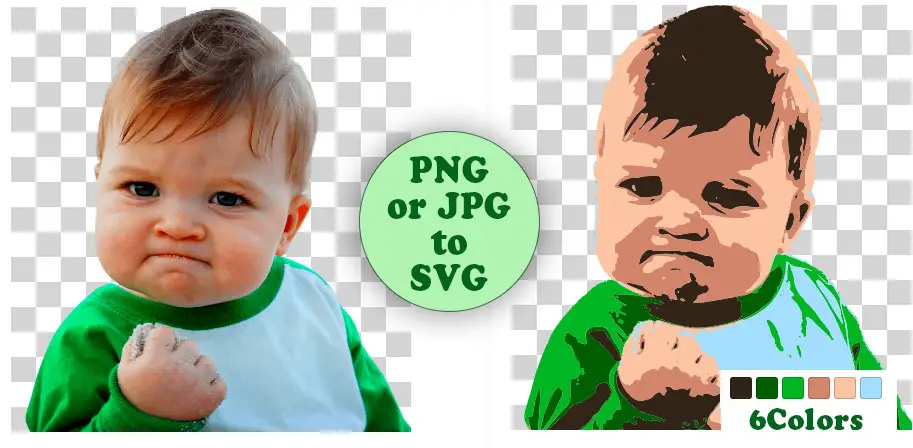
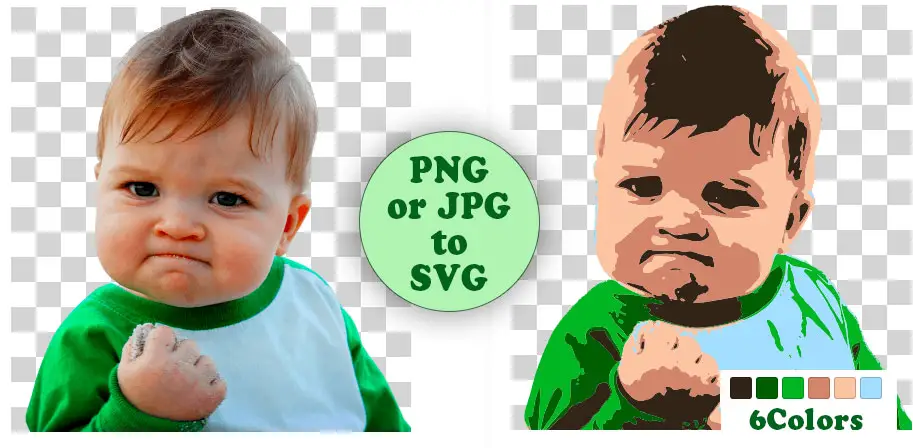
For many, especially those just starting out, free SVG converters are an attractive option. Picsvg.com is a popular choice and has recently added new filters as of May 1, 2026, aiming to improve conversion quality and provide more creative control. The site also boasts a "Supermode’ for more advanced processing. It"s a straightforward tool: you upload your image (JPG, GIF, or PNG), select any desired effects, and download the resulting SVG.
However, free converters come with limitations. Picsvg, for example, restricts file uploads to 4MB. This can be a significant constraint when dealing with high-resolution images or complex artwork. More importantly, the quality of the conversion can vary considerably. Complex designs may result in overly simplified vectors, loss of detail, or inaccurate color reproduction. Free converters often prioritize speed and ease of use over precision and fidelity.
Most other free tools are cluttered with ads or have tiny file limits. They work for a quick test, but I wouldn't trust them for a main collection. You're usually trading quality for a $0 price tag. Always check the code for hidden junk before you mint.
I’ve found that free converters often struggle with transparency and gradients, leading to noticeable artifacts in the final SVG file. This isn’t necessarily a flaw in the converter itself, but a consequence of the inherent complexity of converting raster data into vector paths. Expect to spend time cleaning up the resulting SVG if you choose this route.
When to pay for premium tools
Stepping up to a premium SVG converter typically unlocks several key benefits. The most obvious is increased file size support. If you're working with large, detailed images, a premium converter can handle them without issue. Beyond that, many offer batch processing capabilities, allowing you to convert multiple images at once – a huge time-saver for large NFT collections.
Perhaps more importantly, premium converters generally provide higher fidelity conversions. They employ more sophisticated algorithms to accurately trace outlines, preserve color information, and maintain detail. This can result in cleaner vector output with fewer unnecessary nodes, leading to smaller file sizes and better performance. Some converters provide granular control over the vectorization process, allowing you to adjust settings like corner sharpness, path simplification, and color tolerance.
FreeConvert is a decent middle ground. Paid services usually give you a support line, which helps when a complex file breaks during the trace. The real win isn't just 'quality'—it's the time you save not having to manually fix broken paths.
Featured Products
Automated tracing of raster images to vector graphics · Supports various input formats including JPG, PNG, and GIF · Outputs SVG, EPS, and PDF vector formats
Vector Magic is a powerful, automated tool that excels at converting raster images into clean, scalable vector graphics ideal for NFT projects.

Comprehensive guide to Adobe Illustrator's interface and tools · Practical instructions for setting up, editing, and exporting vector files · Focuses on building confidence for beginners in vector design
This guide provides essential knowledge for beginners to effectively use Adobe Illustrator, a professional standard for creating and manipulating SVG files for Web3 projects.
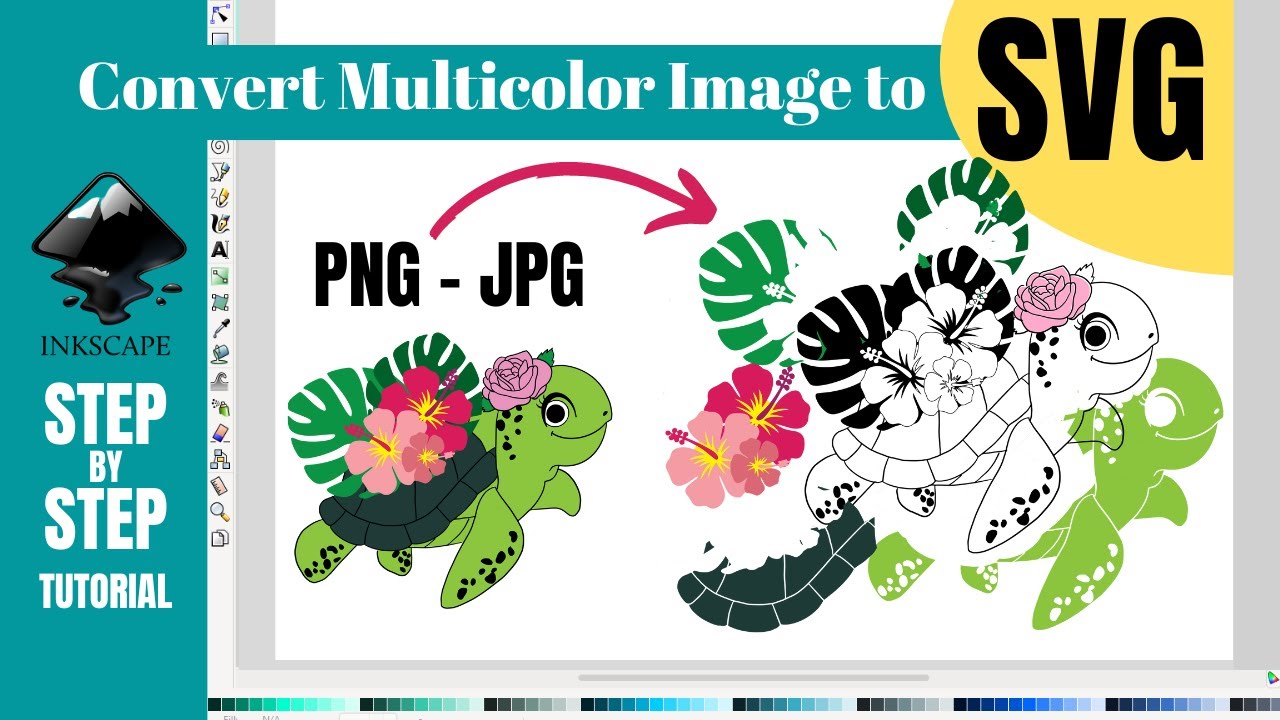
Free and open-source vector graphics editor · Supports SVG as its native format · Offers a wide range of drawing and editing tools
Inkscape is a robust, free alternative for creating and editing SVG files, making it an accessible and powerful option for Web3 and NFT projects.

Converts analog video sources (VHS, VCR, Hi8, etc.) to digital format · Records video and audio directly to a digital file · Includes remote control for ease of use
This converter is recommended for digitizing legacy analog video assets that might be repurposed or integrated into multimedia NFT projects.
![ClearClick Video to Digital Converter 2.0 (Second Generation) - Record Video from VCR's, VHS Tapes, AV, RCA, Hi8, Camcorder, DVD, Gaming Systems [Requires Working VCR/Camcorder & Tapes]](https://m.media-amazon.com/images/I/91c1O5fWJfL._AC_UY654_QL65_.jpg)
Records video from various analog sources like VHS, VCR, and camcorders · Converts AV, RCA, and Hi8 inputs to digital files · User-friendly interface for straightforward conversion
The ClearClick converter offers a straightforward solution for digitizing analog video content, enabling its use in modern digital and Web3 applications.
As an Amazon Associate I earn from qualifying purchases. Prices may vary.
Essential features for NFT creators
When choosing an SVG converter for Web3 or NFT projects, certain features are more critical than others. Precise color handling is paramount, particularly if your NFTs feature distinct color traits that determine rarity. Inaccurate color reproduction can devalue your assets and create inconsistencies across your collection.
Layer preservation is also essential, especially if you plan to animate your NFTs or allow for customization. A converter that flattens all layers into a single vector path will severely limit your options. You need a converter that maintains the individual layers, allowing you to manipulate them independently. Clean vector output is another key consideration. An SVG with an excessive number of nodes will be larger and slower to render.
The ability to handle complex gradients and effects is also important. Many NFT projects utilize intricate designs with subtle gradients and shadows. A converter that simplifies these effects too aggressively will result in a loss of visual quality. Look for converters that offer options for preserving gradients and maintaining smooth transitions. These features aren’t just about aesthetics; they’re about ensuring the long-term value and usability of your on-chain assets.
Testing for accuracy
The best way to evaluate an SVG converter is to put it to the test. I recommend using a complex SVG image as your benchmark – one that includes gradients, multiple layers, varying line weights, and intricate details. A good test image should push the converter to its limits and reveal any weaknesses.
Convert the image using several different converters (Picsvg and any premium options you're considering). Then, carefully compare the outputs visually. Look for distortions, color shifts, loss of detail, or overly simplified vectors. Also, compare the file sizes of the resulting SVGs. A smaller file size isn’t always better; it could indicate that the converter has removed important details.
Zoom in on specific areas of the image to examine the quality of the vector paths. Are the lines smooth and clean, or jagged and pixelated? Are the gradients smooth and seamless, or banded and distorted? Pay close attention to areas with fine details, as these are often the first to suffer during conversion. This process requires a keen eye and a bit of patience, but it’s the most reliable way to determine which converter best suits your needs.
Cutting on-chain storage costs
Converting to SVG is just the first step. To minimize storage costs and improve performance, it’s crucial to optimize your SVG files for on-chain storage. Reducing the number of nodes is a key strategy. Tools like SVGO (SVG Optimizer) can automatically remove unnecessary nodes and simplify paths without significantly affecting the visual quality.
Simplifying paths is another effective technique. Complex curves can be approximated with fewer, simpler segments. Removing unnecessary metadata, such as comments and author information, can also reduce file size. Using efficient compression algorithms, like gzip, can further shrink the file without any loss of data. Remember that blockchain transactions often have a cost associated with data storage, so minimizing file size can save you money.
Larger SVG files translate directly to higher gas fees on many blockchains. Optimizing your SVGs isn’t just about aesthetics or performance; it’s about maximizing the economic efficiency of your Web3 project. While the specific optimization techniques can get technical, there are numerous tools and resources available to help you streamline the process.
SVG Converter Comparison for Web3 & NFT Projects (2026)
| Converter | Ease of Use | Feature Set | Accuracy | File Size Limits | Support |
|---|---|---|---|---|---|
| Picsvg | Excellent | Good | Good | Not specified | Limited, community-based |
| FreeConvert.com | Good | Fair | Fair | Not specified | FAQ and basic documentation |
| Vector Magic (Premium) | Good | Excellent | Excellent | Not specified | Email and detailed documentation |
| Adobe Illustrator (Premium) | Fair | Excellent | Excellent | Not specified | Extensive documentation, active community |
| CorelDRAW (Premium) | Fair | Excellent | Excellent | Not specified | Comprehensive documentation, support forums |
| Affinity Designer (Premium) | Good | Good | Good | Not specified | Help center and community forums |
Illustrative comparison based on the article research brief. Verify current pricing, limits, and product details in the official docs before relying on it.
No comments yet. Be the first to share your thoughts!